Project 07 / Personal
Photobooth.
A photo booth that runs in your browser.
I built the camera flow, photo-strip layouts, and canvas editor, including stickers, backgrounds, and language selection.
- Focus
- Browser camera & canvas
- Built with
- Next.js / React / TypeScript / Fabric.js / Canvas
- Status
- Public web app · Personal project
Project in brief
- The problem
- Camera capture, photo layouts, and canvas editing need to work together in the browser.
- My contribution
- I built the capture flow, editable photo strips, stickers, backgrounds, and image export.
- Key decision
- Separated camera acquisition and cleanup from the Fabric.js editing canvas.
- Result
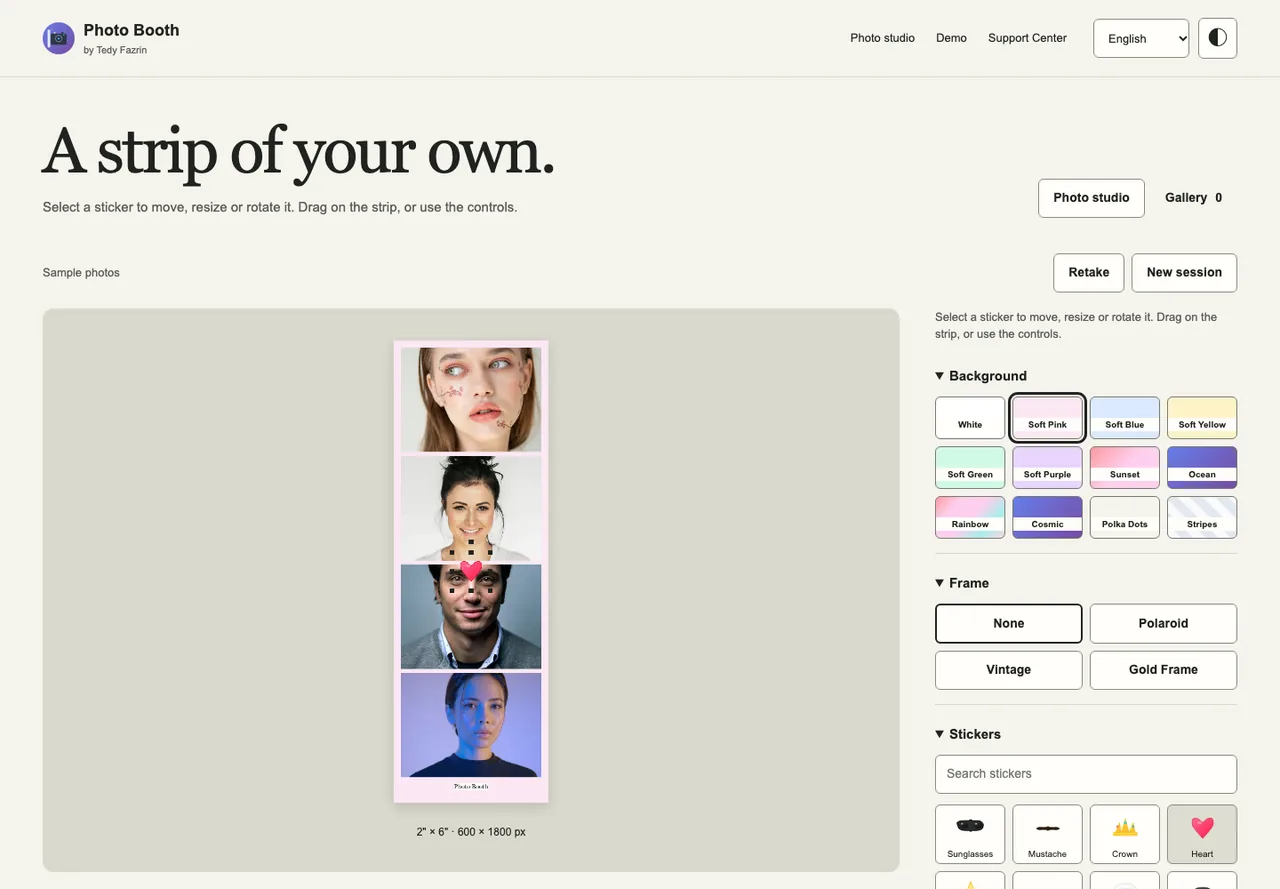
- The app and source are public. Sample photos let visitors try the editor without camera access.
01
Overview
Photobooth is my browser photo-booth app. You can take photos, arrange them in a strip or grid, add stickers, and download the result.
Camera permissions and device support vary, while each strip layout needs consistent photo sizes and positions.
02
My work
I built the application, camera utilities, strip templates, canvas controls, and language-selection flow.
- Built photo capture and media-stream cleanup.
- Added strip and grid layouts, canvas composition, and image export.
- Added stickers, background and frame controls, and translated interface text.
03
Technical decisions
The app uses Next.js and React. Camera hooks manage the browser media stream; Canvas captures frames; Fabric.js handles the editable photo strip and export.
- Kept camera acquisition and stream cleanup separate from editing.
- Calculated strip sizes and photo positions from the chosen layout.
- Kept language selection in a shared provider and saved the browser preference.
04
Scope & status
Capture, composition, and export run in the browser. The public source includes the camera utilities and canvas editor.
- Camera capture depends on the browser’s permissions and device support.
- Sample photos are explicitly selected and labeled. They let someone try the editor without granting camera access; physical-camera testing remains separate.
What I learned
Canvas sizes and object positions need the same coordinate model.
A camera error should explain how to recover.